Photopea as an Online Alternative to Photoshop: PSD Files, Layers and Design Without Installing Software
Photopea has become one of the most widely used browser-based graphic editors for users who need professional image editing tools without installing desktop software. By 2026, the application supports PSD files, advanced layer management, smart objects, masks, vector tools and numerous export formats. For designers, marketers, students and content creators, it offers a practical way to work on projects directly in a web browser while maintaining compatibility with files commonly created in Adobe Photoshop.
What Makes Photopea a Practical Choice for Modern Designers
One of the main reasons for Photopea’s popularity is its ability to open and edit native PSD files without requiring any conversion. Designers can upload existing Photoshop projects, review layer structures, modify elements and save changes while preserving compatibility with other professional design tools. This significantly reduces workflow interruptions when collaborating with colleagues or clients.
Unlike traditional desktop software, Photopea operates entirely through a browser. Users can access their projects from Windows, macOS, Linux and ChromeOS devices without installing updates or maintaining local software environments. This flexibility is particularly useful for remote teams and freelancers who often switch between multiple devices.
The editor also supports numerous file formats beyond PSD, including AI, XD, Sketch, PDF, SVG, JPG, PNG, WEBP and TIFF. This broad compatibility allows designers to manage different project assets in a single workspace rather than relying on several separate applications.
Browser-Based Editing Without Major Limitations
Many online image editors focus primarily on basic cropping and resizing. Photopea takes a different approach by offering professional-level tools such as adjustment layers, blending modes, clipping masks, layer styles and advanced selection methods. These features allow users to perform tasks that would traditionally require desktop software.
Performance has also improved significantly over recent years. Modern browsers can efficiently process large design files, allowing users to work with complex compositions containing dozens of layers. While extremely large commercial projects may still benefit from dedicated desktop applications, most everyday design tasks can be completed directly within Photopea.
Another advantage is accessibility. Since projects can be opened instantly from cloud storage services or local drives, designers can begin working within seconds. This reduces setup time and makes the editor suitable for quick revisions, urgent client requests and educational environments.
Working with PSD Files and Layer Structures in Photopea
PSD compatibility remains one of Photopea’s strongest features. When opening a Photoshop document, the editor preserves layer groups, masks, text layers, effects and transparency settings. This allows designers to continue existing projects without rebuilding layouts or exporting assets manually.
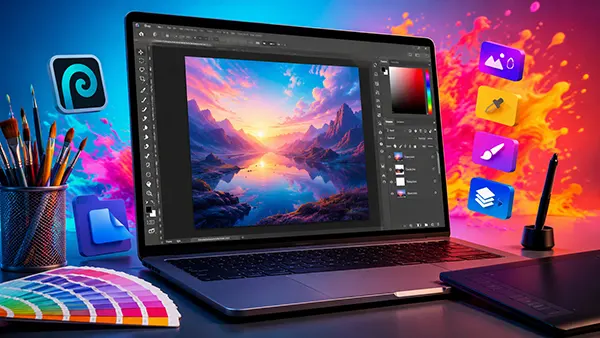
Layer management functions closely resemble those found in Photoshop. Users can create folders, duplicate layers, apply blending modes, adjust opacity and organise complex compositions efficiently. Familiar shortcuts and interface conventions help experienced Photoshop users adapt quickly.
Text editing capabilities are particularly valuable when updating marketing materials, website graphics or social media assets. Designers can modify typography, adjust alignment and apply effects while maintaining editable text layers whenever compatible fonts are available.
Advanced Tools for Professional Design Tasks
Photopea includes support for raster and vector workflows. Users can create shape layers, work with Bézier curves and edit scalable graphics without sacrificing quality. This flexibility is useful when producing logos, interface elements and marketing visuals.
Selection tools include magic wand, quick selection, lasso and object-based selection methods. Combined with masking features, these tools allow precise background removal, product image preparation and photo retouching tasks that are common in professional design projects.
Smart objects further enhance workflow efficiency. Designers can reuse assets across multiple layouts, update source elements and maintain consistency throughout larger projects. For agencies and content teams, this functionality can significantly reduce repetitive editing work.
Photopea in Real-World Design Workflows in 2026
In 2026, Photopea is frequently used by freelance designers, digital marketers, educators and small businesses seeking flexible design solutions. Its ability to operate without installation makes it particularly useful in environments where users do not have administrative permissions to install software.
Educational institutions increasingly use browser-based creative tools because students can access them from virtually any device. Photopea provides an effective environment for teaching layer management, image editing fundamentals and graphic design principles without requiring expensive software subscriptions.
Small businesses also benefit from its accessibility. Teams can quickly update promotional materials, product images, advertising banners and website graphics without investing in extensive software infrastructure. This helps organisations maintain professional visual communication while controlling operational costs.
When Photopea Is the Right Solution and When It Is Not
For most image editing, social media design, web graphics, banner creation and PSD revision tasks, Photopea provides more than enough functionality. Its browser-based nature offers convenience that many users value more than additional advanced features available in specialised desktop applications.
However, extremely large projects involving hundreds of layers, advanced colour management workflows or highly specialised publishing requirements may still benefit from dedicated desktop software. Professional studios working with complex print production environments often require capabilities that extend beyond browser-based editing.
Even with these considerations, Photopea has established itself as one of the most capable online graphic editors available in 2026. Its combination of PSD compatibility, layer support, professional tools and browser accessibility makes it a practical option for designers who need reliable image editing without installing traditional software.